How the three verdicts move
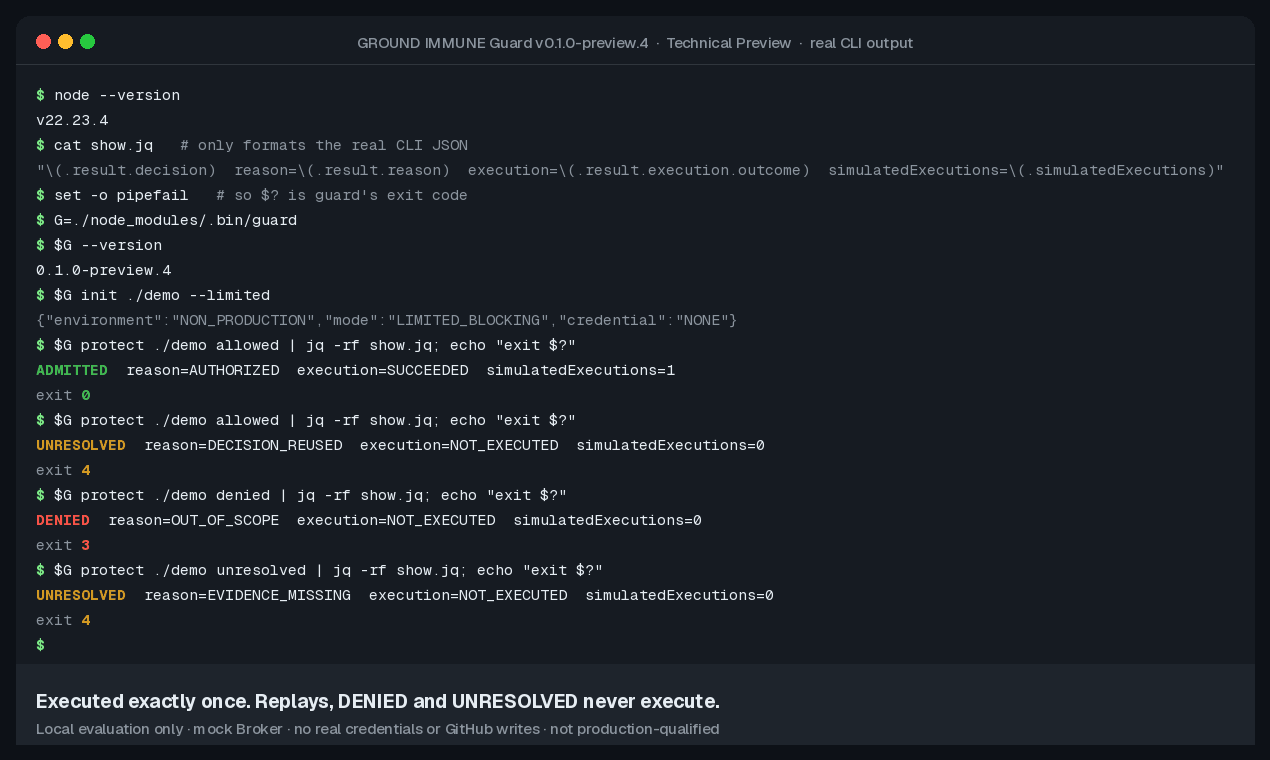
Once an operation meets IMMUNE Guard, it becomes one of three verdicts.
Diagram description. Operations leaving the agent are judged by IMMUNE Guard. ADMITTED (in scope, allowed) passes Guard and reaches the files, APIs or repos. UNRESOLVED (no review record, on hold) stops at Guard and blinks there; it is not treated as an allow. DENIED (out of scope, rejected) reaches Guard and is marked with an ×. It is not routed to another system. Stopping applies in LIMITED_BLOCKING. In default SHADOW mode, Guard only records the verdict.
What we want to prevent
A planted instruction in the agent, a plain bug, or a wrong plan all run with the same permissions.
- Out-of-scope sends and deletes are denied.
- Operations with no confirmation record are not treated as allowed.
For example, if only updates to docs/ are allowed and the agent tries to create .env, IMMUNE Guard returns DENIED as out of scope and does not run it.
$ guard protect ./blocking denied
→ DENIED / OUT_OF_SCOPE (not executed)
Technical Preview. Blocking only in LIMITED_BLOCKING; the default SHADOW mode only records. The Broker is simulated. What it can’t do: LIMITATIONS.